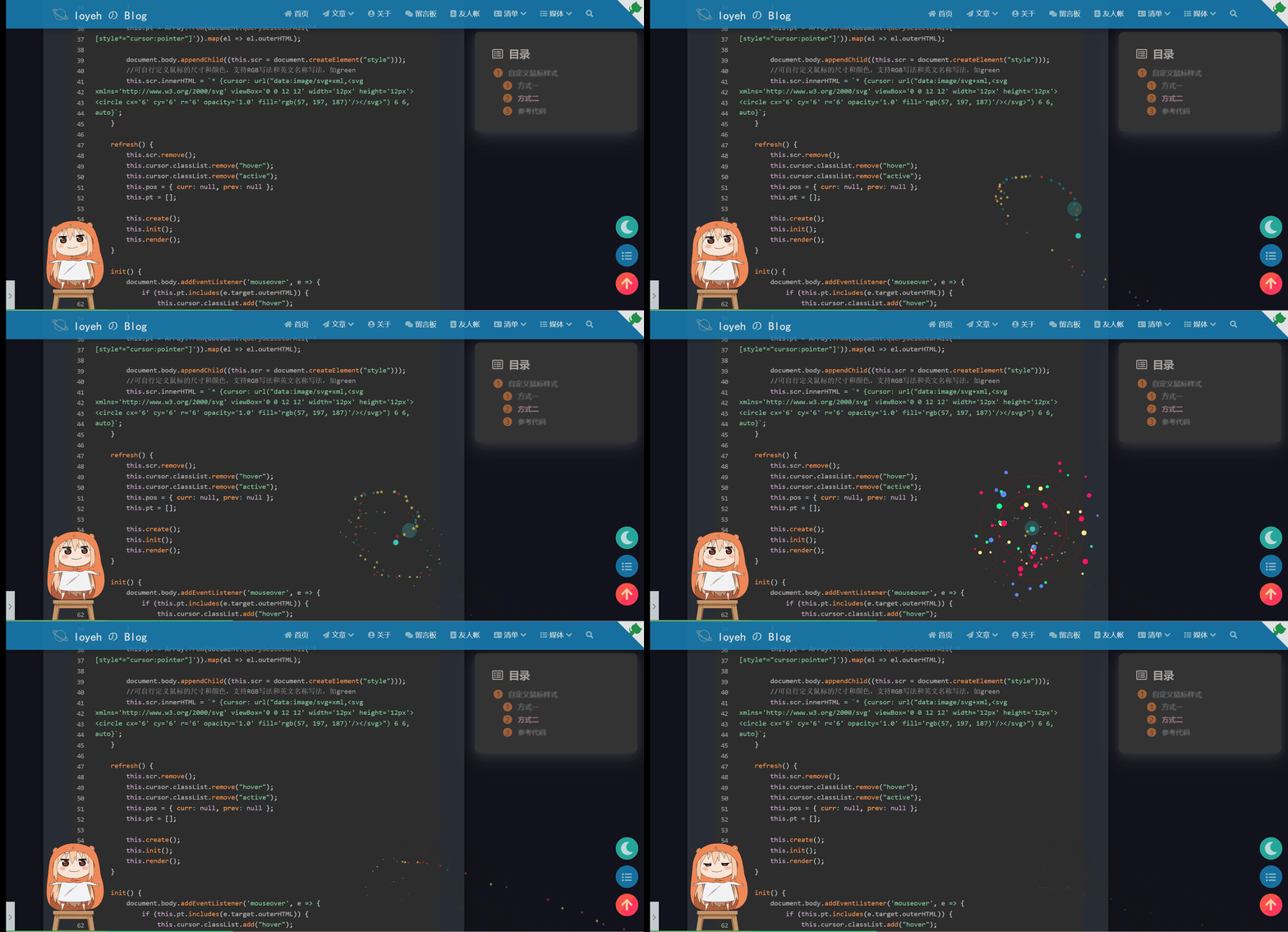
自定义鼠标样式
方式一
首先将鼠标样式下载到本地,推荐到致美化下载自己喜欢的鼠标样式,放在主题文件夹下的medias目录下
打开
themes\matery\source\css下的my.css文件,添加内容如下:1
2
3
4
5
6
7
8
9
10
11
12
13
14
15
16
17
18
19
20
21
22*{
cursor: url("/medias/imgs/zhengchang.ico"),auto;
}
:active{
cursor: url("/medias/imgs/dianji.ico"),auto;
}
butterfly:在 /themes/butterfly/source/css路径下创建一个mouse.css文件,在文件中添加如下代码:
body {
cursor:url(https://cdn.jsdelivr.net/gh/sviptzk/HexoStaticFile@latest/Hexo/img/default.cur),
default;
}
a,
img {
cursor:url(https://cdn.jsdelivr.net/gh/sviptzk/HexoStaticFile@latest/Hexo/img/pointer.cur),
default;
}
打开站点主题配置文件_config.butterfly.yml,找到inject,在head处直接引入该文件:
inject:
head:
- <link rel="stylesheet" href="/css/mouse.css">
原文链接:https://blog.csdn.net/qq_60750453/article/details/124716738
seaYJ
1 | /* build time:Sun Jun 16 2024 21:33:57 GMT+0800 (中国标准时间)*/ |
[Hexo之自定义鼠标样式 | 遇见西门 (simon96.online)](https://www.simon96.online/2018/11/16/hexo-do-mouse/#:~:text=自定义鼠标样式打开 themes%2F*%2Fsource%2Fcss%2F_custom%2Fcustom.styl%2C在里面写下如下代码: 1234567%2F%2F 鼠标样式 *,%26%23123%3B cursor%3A url(%26quot%3Bhttp%3A%2F%2Fom8u46rmb.bkt.clouddn.com%2Fsword2.ico%26quot%3B)%2Cauto!important %26%23125%3B %3Aactive %26%23123%3B)
hexo自定义鼠标指针样式 | KAI’S NOTE (kainote.top)
方式二
添加同心圆鼠标样式
在
matery\source\js\下新建文件cursor.js,粘贴如下代码:1
2
3
4
5
6
7
8
9
10
11
12
13
14
15
16
17
18
19
20
21
22
23
24
25
26
27
28
29
30
31
32
33
34
35
36
37
38
39
40
41
42
43
44
45
46
47
48
49
50
51
52
53
54
55
56
57
58
59
60
61
62
63
64
65
66
67
68
69
70
71
72
73
74
75
76
77
78
79
80
81
82
83
84
85
86
87
88
89
90
91
92
93
94
95
96
97
98
99
100
101
102
103
104
105
106
107
108
109var CURSOR;
Math.lerp = (a, b, n) => (1 - n) * a + n * b;
const getStyle = (el, attr) => {
try {
return window.getComputedStyle
? window.getComputedStyle(el)[attr]
: el.currentStyle[attr];
} catch (e) {}
return "";
};
class Cursor {
constructor() {
this.pos = { curr: null, prev: null };
this.pt = [];
this.create();
this.init();
this.render();
}
move(left, top) {
this.cursor.style.left = `${left}px`;
this.cursor.style.top = `${top}px`;
}
create() {
if (!this.cursor) {
this.cursor = document.createElement("div");
this.cursor.id = "cursor";
this.cursor.classList.add("hidden");
document.body.append(this.cursor);
}
this.pt = Array.from(document.querySelectorAll('*[style*="cursor:pointer"]')).map(el => el.outerHTML);
document.body.appendChild((this.scr = document.createElement("style")));
//可自行定义鼠标的尺寸和颜色,支持RGB写法和英文名称写法,如green
this.scr.innerHTML = `* {cursor: url("data:image/svg+xml,<svg xmlns='http://www.w3.org/2000/svg' viewBox='0 0 12 12' width='12px' height='12px'><circle cx='6' cy='6' r='6' opacity='1.0' fill='rgb(57, 197, 187)'/></svg>") 6 6, auto}`;
}
refresh() {
this.scr.remove();
this.cursor.classList.remove("hover");
this.cursor.classList.remove("active");
this.pos = { curr: null, prev: null };
this.pt = [];
this.create();
this.init();
this.render();
}
init() {
document.body.addEventListener('mouseover', e => {
if (this.pt.includes(e.target.outerHTML)) {
this.cursor.classList.add("hover");
}
});
document.body.addEventListener('mouseout', e => {
if (this.pt.includes(e.target.outerHTML)) {
this.cursor.classList.remove("hover");
}
});
document.body.addEventListener('mousemove', e => {
if (!this.pos.curr) {
this.move(e.clientX - 8, e.clientY - 8);
}
this.pos.curr = { x: e.clientX - 8, y: e.clientY - 8 };
this.cursor.classList.remove("hidden");
});
document.body.addEventListener('mouseenter', e => {
this.cursor.classList.remove("hidden");
});
document.body.addEventListener('mouseleave', e => {
this.cursor.classList.add("hidden");
});
document.body.addEventListener('mousedown', e => {
this.cursor.classList.add("active");
});
document.body.addEventListener('mouseup', e => {
this.cursor.classList.remove("active");
});
}
render() {
if (this.pos.prev) {
this.pos.prev.x = Math.lerp(this.pos.prev.x, this.pos.curr.x, 0.15);
this.pos.prev.y = Math.lerp(this.pos.prev.y, this.pos.curr.y, 0.15);
this.move(this.pos.prev.x, this.pos.prev.y);
} else {
this.pos.prev = this.pos.curr;
}
requestAnimationFrame(() => this.render());
}
}
(() => {
CURSOR = new Cursor();
CURSOR.refresh();
})();在
themes\matery\source\css\my.css中加入1
2
3
4
5
6
7
8
9
10
11
12
13
14
15
16
17
18
19
20
21
22
23
24
25
26
27
28
29
30
31
32
33
34
35#cursor {
position: fixed;
width: 16px;
height: 16px;
border-radius: 8px;
background: rgb(57, 197, 187); /* 可修改颜色 */
opacity: 0.25;
z-index: 10086;
pointer-events: none;
transition: 0.2s ease-in-out;
transition-property: background, opacity, transform;
transform: scale(2.0); /* 使用 transform 放大 2.0 倍 */
}
#cursor.hidden {
opacity: 0;
}
#cursor.hover {
opacity: 0.1;
transform: scale(2.5);
-webkit-transform: scale(2.5);
-moz-transform: scale(2.5);
-ms-transform: scale(2.5);
-o-transform: scale(2.5);
}
#cursor.active {
opacity: 0.5;
transform: scale(0.5);
-webkit-transform: scale(0.5);
-moz-transform: scale(0.5);
-ms-transform: scale(0.5);
-o-transform: scale(0.5);
}在
themes\matery\layout\layout.ejs中加入1
<script src="<%- theme.jsDelivr.url %><%- url_for('/js/cursor.js') %>"></script>
确保在
themes\matery\_config.yml的libs中的css和js中引入了my.css和cursor.js使用hexo s查看效果