
自定义404
一个好的404页面能够友好地向用户解释页面未找到的原因,帮助用户继续浏览网站,从而提升用户体验。当用户访问到404页面时,如果页面设计得吸引人、有趣或富有创意,用户可能会停留更长时间,从而减少用户的流失。
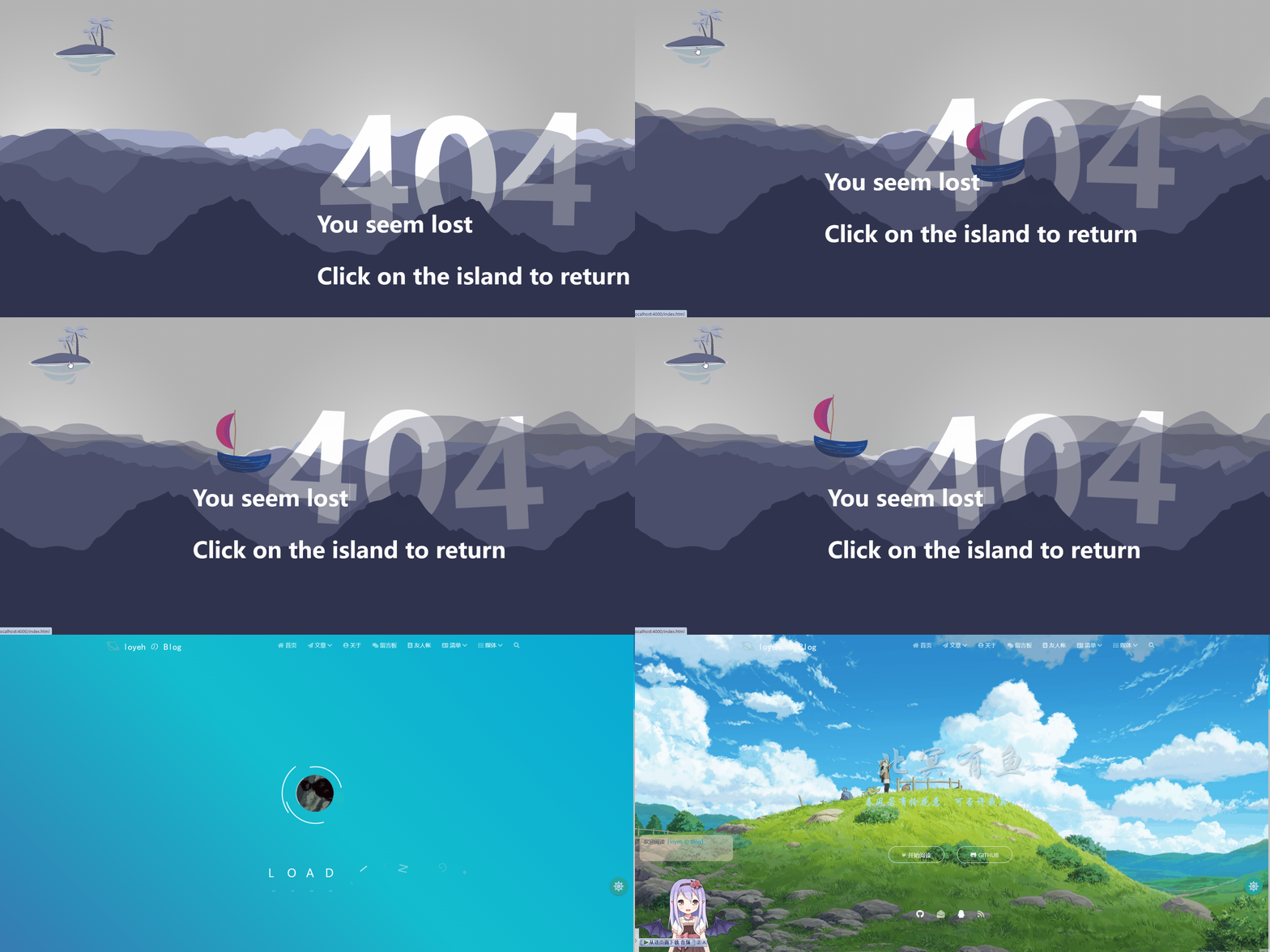
虽然matery主题自带有404页面,但是不够好看,可玩性也不足。所以我决定修改404页面,大家可以选择自己DIY或者借鉴网络上大佬的作品。经过我的精挑细选,我选用的是Andrew Lawendy大佬的作品
演示效果
修改步骤
将原来source目录下的404.md文件删除,新建404.html
原404.md代码:
1
2
3
4
5
6
7
---
title: 404
date: 2019-07-19 16:41:10
type: "404"
layout: "404"
description: "你似乎来到了没有知识的荒原~~~"
---粘贴以下代码
1
2
3
4
5
6
7
8
9
10
11
12
13
14
15
16
17
18
19
20
21
22
23
24
25
26
27
28
29
30
31
32
33
34
35
36
37
38
39
40
41
<html>
<head>
<meta http-equiv="Content-Type" content="text/html; charset=UTF-8" />
<meta name="viewport" content="width=device-width, initial-scale=1.0" />
<title>Parallax 404 page</title>
<link rel="stylesheet" href="css/404.css" />
<script type="text/javascript" src="js/404.js"></script>
</head>
<body>
<div id="not-found" class="not-found parallax">
<div class="sky-bg"></div>
<div class="wave-7"></div>
<div class="wave-6"></div>
<a href="index.html" class="wave-island">
<img src="http://res.cloudinary.com/andrewhani/image/upload/v1524501929/404/island.svg" alt="Island">
</a>
<div class="wave-5"></div>
<div class="wave-lost wrp">
<span>4</span>
<span>0</span>
<span>4</span>
</div>
<div class="wave-4"></div>
<div class="wave-boat">
<img class="boat" src="http://res.cloudinary.com/andrewhani/image/upload/v1524501894/404/boat.svg"
alt="Boat">
</div>
<div class="wave-3"></div>
<div class="wave-2"></div>
<div class="wave-1"></div>
<div class="wave-message">
<p>You seem lost</p>
<p>Click on the island to return</p>
</div>
</div>
</body>
</html>注意:
<a href="index.html" class="wave-island">,请将href设置为想要跳转的页面将CSS代码添加到主题中:
在matery/source/css下,新建404.css,粘贴以下代码(注意修改图片的路径)
1
2
3
4
5
6
7
8
9
10
11
12
13
14
15
16
17
18
19
20
21
22
23
24
25
26
27
28
29
30
31
32
33
34
35
36
37
38
39
40
41
42
43
44
45
46
47
48
49
50
51
52
53
54
55
56
57
58
59
60
61
62
63
64
65
66
67
68
69
70
71
72
73
74
75
76
77
78
79
80
81
82
83
84
85
86
87
88
89
90
91
92
93
94
95
96
97
98
99
100
101
102
103
104
105
106
107
108
109
110
111
112
113
114
115
116
117
118
119
120
121
122
123
124
125
126
127
128
129
130
131
132
133
134
135
136
137
138
139
140
141
142
143
144
145
146
147
148
149
150
151
152
153
154
155
156
157
158
159
160
161
162
163
164
165
166
167
168
169
170
171
172
173
174
175
176
177
178
179
180
181
182
183
184
185
186
187
188
189
190
191
192
193
194
195
196
197
198
199
200
201
202
203
204
205
206
207
208
209
210
211
212
213
214
215
216
217
218
body {
overflow: hidden;
font-family: "Open Sans", sans-serif;
font-weight: bold;
}
.not-found {
position: relative;
overflow: hidden;
margin: -1vh -20vw;
height: 110vh;
}
.not-found [class*=wave] {
position: absolute;
}
.not-found div {
position: absolute;
width: 100%;
bottom: 0;
left: 0;
}
.not-found div.wave-1 {
background: url(../404/wave-1.svg);
}
.not-found div.wave-2 {
background: url(../404/wave-2.svg);
}
.not-found div.wave-3 {
background: url(../404/wave-3.svg);
}
.not-found div.wave-4 {
background: url(../404/wave-4.svg);
}
.not-found div.wave-5 {
background: url(../404/wave-5.svg);
}
.not-found div.wave-6 {
background: url(../404/wave-6.svg);
}
.not-found div.wave-7 {
background: url(../404/wave-7.svg);
}
.not-found div.sky-bg {
background: url(../404/bg.svg);
height: 100%;
}
.not-found div[class*=wave] {
opacity: 0.99;
}
.not-found div[class*=wave]:not(.wave-4) {
height: calc(100% - 350px);
}
.not-found div.wave-4 {
height: calc(100% - 530px);
}
.not-found .boat {
position: absolute;
top: 0;
right: 15%;
width: 150px;
animation: boat 15s cubic-bezier(0.65, 0.05, 0.36, 1) infinite;
}
.not-found .wave-lost {
position: absolute;
top: 20%;
left: 50%;
color: #fff;
font-size: 20rem;
animation: surf 2s;
}
@media (max-width: 768px) {
.not-found .wave-lost {
font-size: 13rem;
left: 16%;
}
}
@media (max-width: 992px) {
.not-found .wave-lost {
font-size: 20rem;
left: 22%;
}
}
.not-found .wave-lost span {
float: left;
animation: float 3s ease-in infinite;
}
.not-found .wave-lost span:nth-child(2) {
animation-delay: 2.5s;
}
.not-found .wave-lost span:nth-child(3) {
animation-delay: 4.5s;
}
.not-found .wave-island {
position: absolute;
top: 40px;
left: 20%;
padding: 10px;
width: 170px;
}
.not-found .wave-message {
position: absolute;
bottom: 100px;
left: 50%;
padding-right: 50%;
height: auto ;
color: #fff;
font-size: 3rem;
text-align: left;
animation: wave-message 1s;
}
@media (max-width: 768px) {
.not-found .wave-message {
left: 16%;
font-size: 1.8rem;
}
}
@media (max-width: 992px) {
.not-found .wave-message {
left: 22%;
font-size: 3rem;
}
}
@keyframes boat {
0% {
transform-origin: left;
transform: rotate(-15deg) translate3d(400px, 0px, 0px);
}
20% {
transform-origin: left;
transform: rotate(15deg) translate3d(-20vw, 0, 0px);
}
25% {
transform-origin: left;
transform: rotate(-7deg) translate3d(-25vw, 0, 0px);
}
50% {
transform-origin: left;
transform: rotate(5deg) translate3d(-50vw, 0, 0px);
}
60% {
transform-origin: left;
transform: rotate(-1deg) translate3d(-60vw, 0, 0px);
}
100% {
transform-origin: left;
transform: rotate(2deg) translate3d(-100vw, 0, 0px);
}
}
@keyframes float {
0%,
100% {
transform: rotate(3deg) translate3d(0px, -10px, 0px);
}
50% {
transform: rotate(-3deg) translate3d(0px, 10px, 0px);
}
}
@keyframes surf {
0% {
transform-origin: right;
transform: rotate(15deg) translate3d(0, 800px, 0);
}
30% {
transform-origin: right;
transform: rotate(15deg) translate3d(0, 500px, 0);
}
100% {
transform-origin: right;
transform: rotate(0) translate3d(0, 0, 0px);
}
}
@keyframes wave-message {
0% {
transform: translate3d(0, 120%, 0);
}
100% {
transform: translate3d(0, 0, 0);
}
}将JS代码添加到主题中:
matery/source/js下,新建404.js,粘贴以下代码
1
2
3
4
5
6
7
8
9
10
11
12
13
14
15
16
17
18
19
20
21
22
23
24
25
26
27
28
29
30
31
32
33
34
35
36
37
38
var parallax = function (e) {
var windowWidth = window.innerWidth;
if (windowWidth < 768) return;
var parallax = document.querySelector('.parallax');
var halfFieldWidth = parallax.offsetWidth / 2;
var halfFieldHeight = parallax.offsetHeight / 2;
var fieldPos = parallax.getBoundingClientRect();
var x = e.pageX;
var y = e.pageY - fieldPos.top;
var newX = (x - halfFieldWidth) / 30;
var newY = (y - halfFieldHeight) / 30;
var waveElements = document.querySelectorAll('.parallax [class*="wave"]');
waveElements.forEach(function (element, index) {
element.style.transition = "";
element.style.transform = "translate3d(" + index * newX + "px," + index * newY + "px,0px";
})
},
stopParallax = function () {
var waveElements = document.querySelectorAll('.parallax [class*="wave"]');
waveElements.forEach(function (element) {
element.style.transform = "translate(0px, 0px)";
element.style.transition = "all 0.7s";
})
setTimeout(function () {
waveElements.forEach(function (element) {
element.style.transition = "";
})
}, 700)
}
window.onload = function () {
document.getElementById("not-found").addEventListener("mousemove", parallax);
document.getElementById("not-found").addEventListener("mouseleave", stopParallax);
}配置主题以使用404页面:
打开Hexo博客根目录下的
_config.yml文件。查找是否有配置项用于指定404页面,例如not_found,将其设置为404.html或你的自定义404页面文件名。跳过404页面渲染,在上面打开的
_config.yml中,找到skip_render配置项,加入404.html1
2
3
4skip_render:
- "README.md"
- aboutme/** # 意思为在对文件进行渲染时跳过aboutme文件下的所有文件
- 404.html请先使用
hexo cl & hexo g & hexo s重新生成页面,再输入http://localhost:4000/404进行效果预览
重新生成并部署博客:
运行以下命令重新生成并部署Hexo博客:
1
hexo cl & hexo g & hexo d
刷新你的博客,现在应该能够看到自定义的404页面了。
理解HTTP状态码
信息响应(100–199)
100 Continue(继续):服务器已收到请求头,客户端应继续发送请求体。
101 Switching Protocols(切换协议):请求者要求服务器切换协议。
成功响应(200–299)
200 OK(成功):请求成功。
201 Created(已创建):请求成功,并创建了新的资源。
204 No Content(无内容):服务器成功处理请求,但没有额外的内容要发送。
重定向消息(300–399)
301 Moved Permanently(永久移动):所请求的资源已被永久移动。
302 Found(或307 Temporary Redirect):所请求的资源暂时存放在不同的URI下。
304 Not Modified(未修改):自请求指定的版本以来,资源未被修改。
客户端错误响应(400–499)
400 Bad Request(错误请求):服务器无法理解请求。
401 Unauthorized(未授权):请求要求用户身份验证。
403 Forbidden(禁止):服务器理解请求,但拒绝授权。
404 Not Found(未找到):服务器未找到请求的资源。
405 Method Not Allowed(方法禁用):请求中指定的方法不被允许。
408 Request Timeout(请求超时):服务器等待请求时发生超时。
服务器错误响应(500–599)
500 Internal Server Error(服务器内部错误):遇到意外条件,服务器无法完成请求。
502 Bad Gateway(错误网关):服务器作为网关或代理时,从上游服务器接收到无效的响应。
503 Service Unavailable(服务不可用):服务器暂时无法处理请求。
参考文章:好看的404模板
页面升级
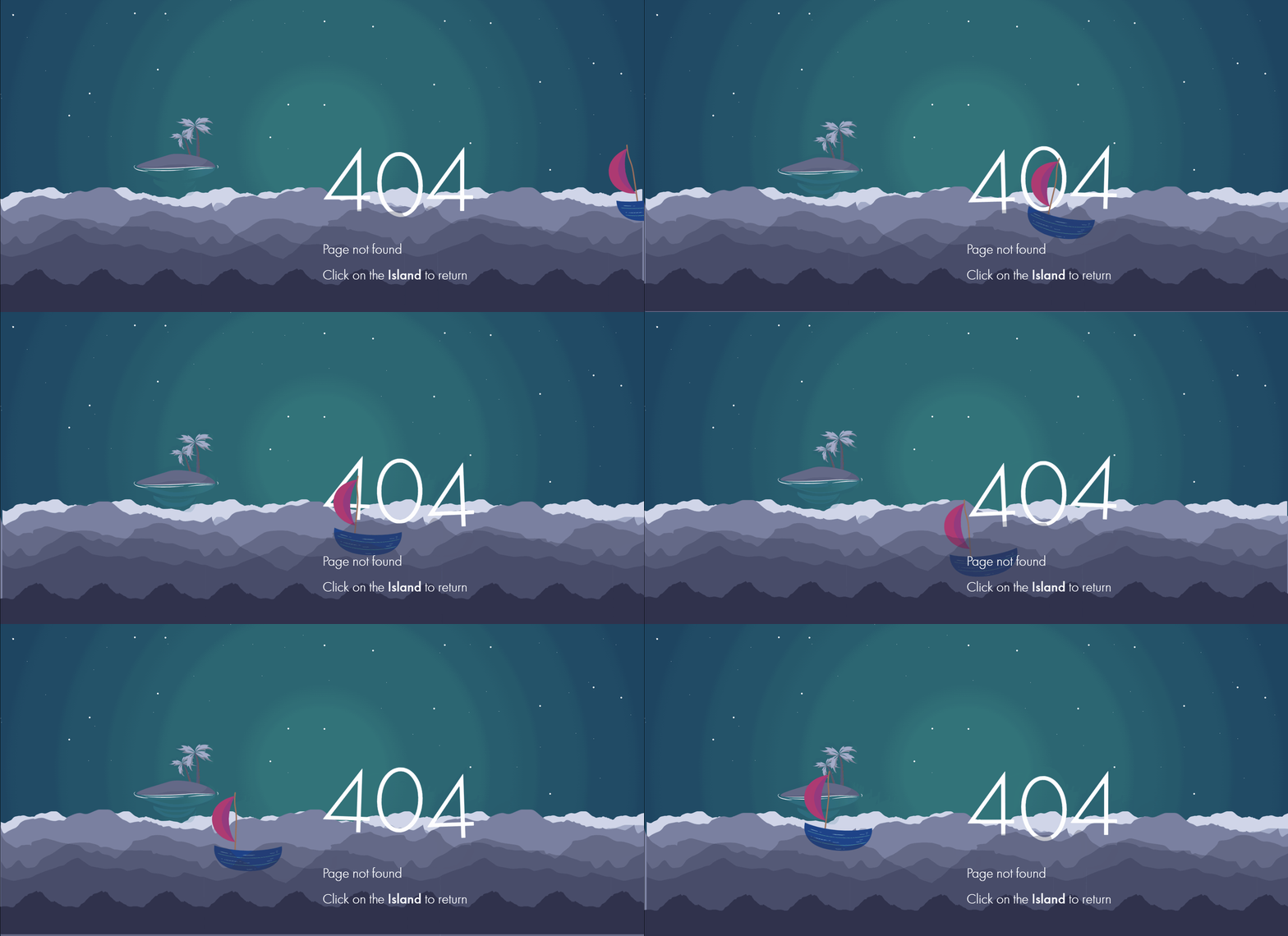
偶然在这个网站上看到了这个效果的404动画,感觉可以把这个404页面设置为夜间模式,之前的设为日间模式
夜间效果(暂未实现)
网站:[Ecological Footprint Calculator](Ecological Footprint Calculator)
Tips
- 通过了解HTTP状态码并创建自定义404错误页面,您可以提升用户体验,留住访客,并减轻网站死链对用户的影响。定期监测网站错误并根据需要更新404页面。
- 如果是新建
404.html文件的话,是可以进行本地预览的。但是这个预览不能使用http://localhost:4000/任意字符来查看,必须使用http://localhost:4000/404来进行本地预览 - 更多模版效果:404模版展示及源码