归档页面优化
优化一
效果预览
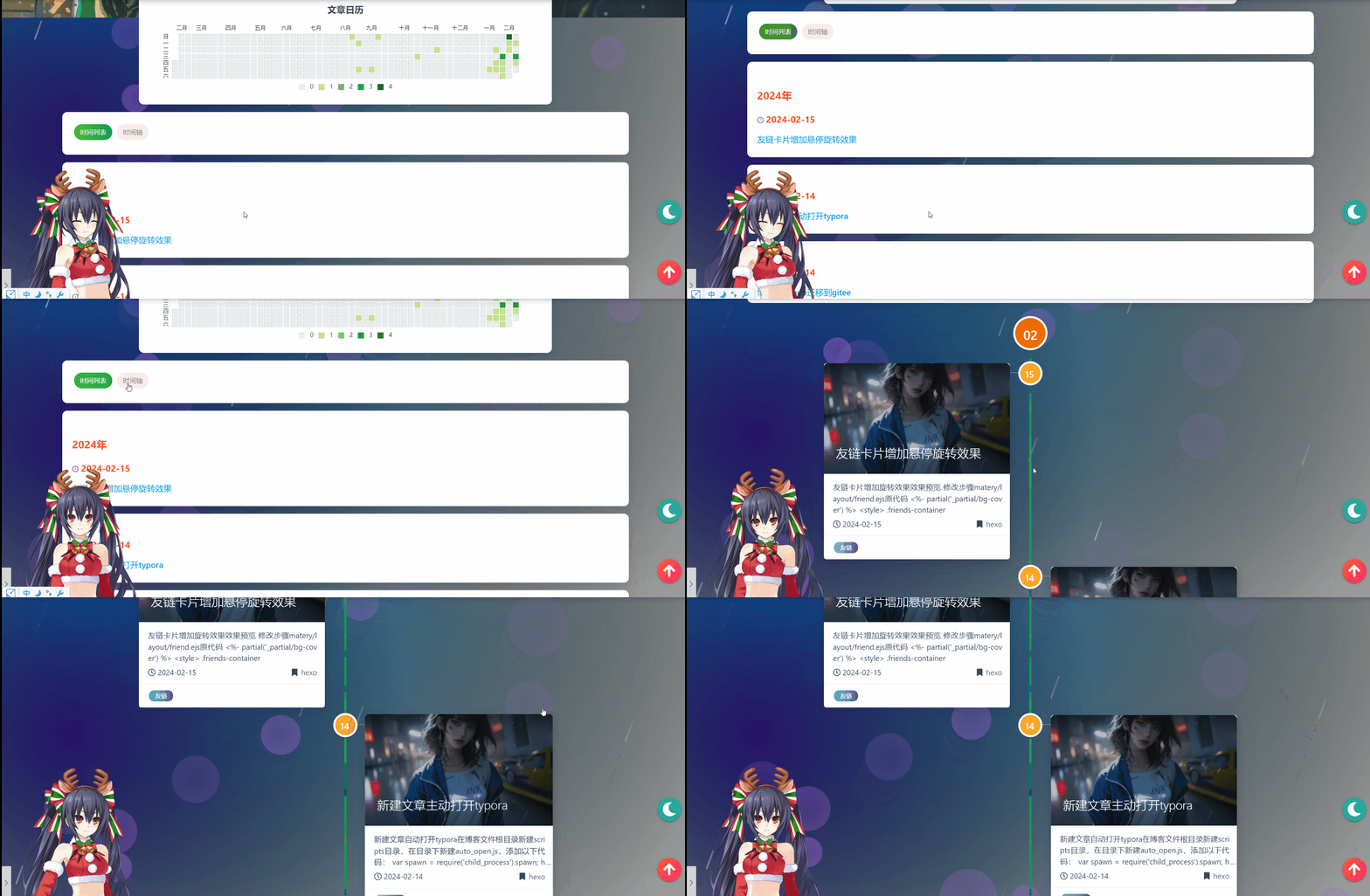
修改步骤
归档的布局文件是主题目录下的/layout/archive.ejs,原代码如下:
1
2
3
4
5
6
7
8
9
10
11
12
13
14
15
16
17
18
19
20
21
22
23
24
25
26
27
28
29
30
31
32
33
34
35
36
37
38
39
40
41
42
43
44
45
46
47
48
49
50
51
52
53
54
55
56
57
58
59
60
61
62
63
64
65
66
67
68
69
70
71
72
73
74
75
76
77
78
79
80
81
82
83
84
85
86
87
88
89
90
91
92
93
94
95
96
97
98
99
100
101
102
103
104
105
106
107
| <!--时间轴区域块-->
<div id="cd-timeline" class="container" style="display: none;">
<% page.posts.each(function(post) { %>
<div class="cd-timeline-block">
<%# year. %>
<% if (date(post.date, 'YYYY') != year) { %>
<% year = date(post.date, 'YYYY'); %>
<div class="cd-timeline-img year" data-aos="zoom-in-up">
<a href="<%- url_for('/archives/' + year) %>"><%- year %></a>
</div>
<% } %>
<%# month. %>
<% if (date(post.date, 'YYYY-MM') != month) { %>
<%
month = date(post.date, 'YYYY-MM');
var m = date(post.date, 'MM')
%>
<div class="cd-timeline-img month" data-aos="zoom-in-up">
<a href="<%- url_for('/archives/' + year + '/' + m) %>">
<%- m %></a>
</div>
<% } %>
<%# every day posts. %>
<div class="cd-timeline-img day" data-aos="zoom-in-up">
<span><%- date(post.date, 'YYYY-MM-DD').substring(8, 10) %></span>
</div>
<article class="cd-timeline-content" data-aos="fade-up">
<div class="article col s12 m6">
<div class="card">
<a href="<%- url_for(post.path) %>">
<div class="card-image">
<% if (post.img) { %>
<img src="<%- url_for(post.img) %>"
class="responsive-img"
alt="<%= post.title %>">
<% } else { %>
<%
featureimg = featureImages[Math.abs(hashCode(post.title)
% featureImages.length)];
%>
<img src="<%- theme.jsDelivr.url %>
<%- url_for(featureimg) %>"
class="responsive-img" alt="<%= post.title
%>">
<% } %>
<span class="card-title"><%= post.title %>
</span>
</div>
</a>
<div class="card-content article-content">
<div class="summary block-with-text">
<% if (post.summary && post.summary.length > 0)
{ %>
<%- post.summary %>
<% } else { %>
<%- strip_html(post.content).substring(0,
120) %>
<% } %>
</div>
<div class="publish-info">
<span class="publish-date">
<i class="far fa-clock fa-fw icon-date"></i>
<%= date(post.date, config.date_format) %>
</span>
<span class="publish-author">
<% if (post.categories &&
post.categories.length > 0) { %>
<i class="fas fa-bookmark fa-fw
icon-category"></i>
<% post.categories.forEach(category => {
%>
<a href="<%- url_for(category.path)
%>" class="post-category">
<%- category.name %>
</a>
<% }); %>
<% } else if (post.author &&
post.author.length > 0) { %>
<i class="fas fa-user fa-fw"></i>
<%- post.author %>
<% } else { %>
<i class="fas fa-user fa-fw"></i>
<%- config.author %>
<% } %>
</span>
</div>
</div>
<% if (post.tags && post.tags.length) { %>
<div class="card-action article-tags">
<% post.tags.forEach(tag => { %>
<a href="<%- url_for(tag.path) %>">
<span
class="chip bg-color">
<%= tag.name %></span></a>
<% }); %>
</div>
<% } %>
</div>
</div>
</article>
</div>
<% }); %>
</div>
|
在主题目录下的/layout/archive.ejs文件中添加如下代码:
先添加时间列表和时间轴的切换按钮
1
2
3
4
5
6
7
8
9
10
11
12
13
14
15
16
17
| <div class="container">
<div class="card">
<div class="card-content">
<div class="tag-chips">
<span onclick="showTable()" id="sp-table" class="chip center-align waves-effect waves-light default"
data-tagname="时间列表"
style="background: linear-gradient(to right, rgb(76, 191, 48) 0%, rgb(15, 157, 88) 100%); color: rgb(255, 255, 255);">时间列表
</span>
<span onclick="showTime()" id="sp-timeline"
class="chip center-align waves-effect waves-light default"
data-tagname="时间轴"
style="background: rgb(249, 235, 234); color: rgba(0, 0, 0, 0.6);">时间轴
</span>
</div>
</div>
</div>
</div>
|
实现切换效果的js代码:
1
2
3
4
5
6
7
8
9
10
11
12
13
14
15
16
17
18
19
20
21
| <script>
function showTime() {
$("#cd-timeline").show();
$("#cd-table").hide();
$("#sp-timeline").css('background', 'linear-gradient(to right, #4cbf30 0%,
#0f9d58 100%)');
$("#sp-timeline").css('color', '#fff');
$("#sp-table").css('background', '#F9EBEA')
$("#sp-table").css('color', 'rgba(0,0,0,0.6)');
}
function showTable() {
$("#cd-timeline").hide();
$("#cd-table").show();
$("#sp-table").css('background', 'linear-gradient(to right, #4cbf30 0%,
#0f9d58 100%)');
$("#sp-table").css('color', '#fff');
$("#sp-timeline").css('background', '#F9EBEA')
$("#sp-timeline").css('color', 'rgba(0,0,0,0.6)');
}
</script>
|
时间列表代码:
1
2
3
4
5
6
7
8
9
10
11
12
13
14
15
16
17
18
19
20
21
22
23
24
25
26
27
28
29
30
31
32
33
34
35
36
37
38
39
40
41
| <div id="cd-table" class="container archive-container">
<% page.posts.each(function(post) { %>
<div class="card">
<div class="card-content">
<div class="archive">
<%# year. %>
<% if (date(post.date, 'YYYY') != year) { %>
<% year = date(post.date, 'YYYY'); %>
<h4 class="archive-year" id="<%- year %>"><%- year %>年
</h4>
<% } %>
<div class="articles">
<div class="article content>">
<div class="article-sort-post">
<div class="article-sort-item_title">
<a href="<%- url_for(post.path) %>">
<h5>
<i class="fa fa-clock"
style="font-size: 1rem;cursor: pointer;"> </i>
<time class="is-text-small" datetime="2021-08-20T20:20:00.000Z"
itemprop="datePublished" style="color: #ff542d;">
<%- date(post.date, 'YYYY-MM-DD') %>
</time>
</h5>
</a>
<h6 class="is-6">
<a href="<%- url_for(post.path) %>"></a>
<a href="<%- url_for(post.path) %>">
<%= post.title %></a>
</h6>
</div>
</div>
</div>
</div>
</div>
</div>
</div>
<% }); %>
</div>
|
然后即可进行本地预览参看效果,当然你也可以自行修改代码实现更优美的效果。
参考博客:hexo博客搭建及主题优化(二)_5ezuy.top-CSDN博客
优化二
之前的时间列表样式感觉不是很美观,遂起了修改样式的想法。
于是博览了众多博客,发现了几款非常不错的归档样式:
样式一
效果预览
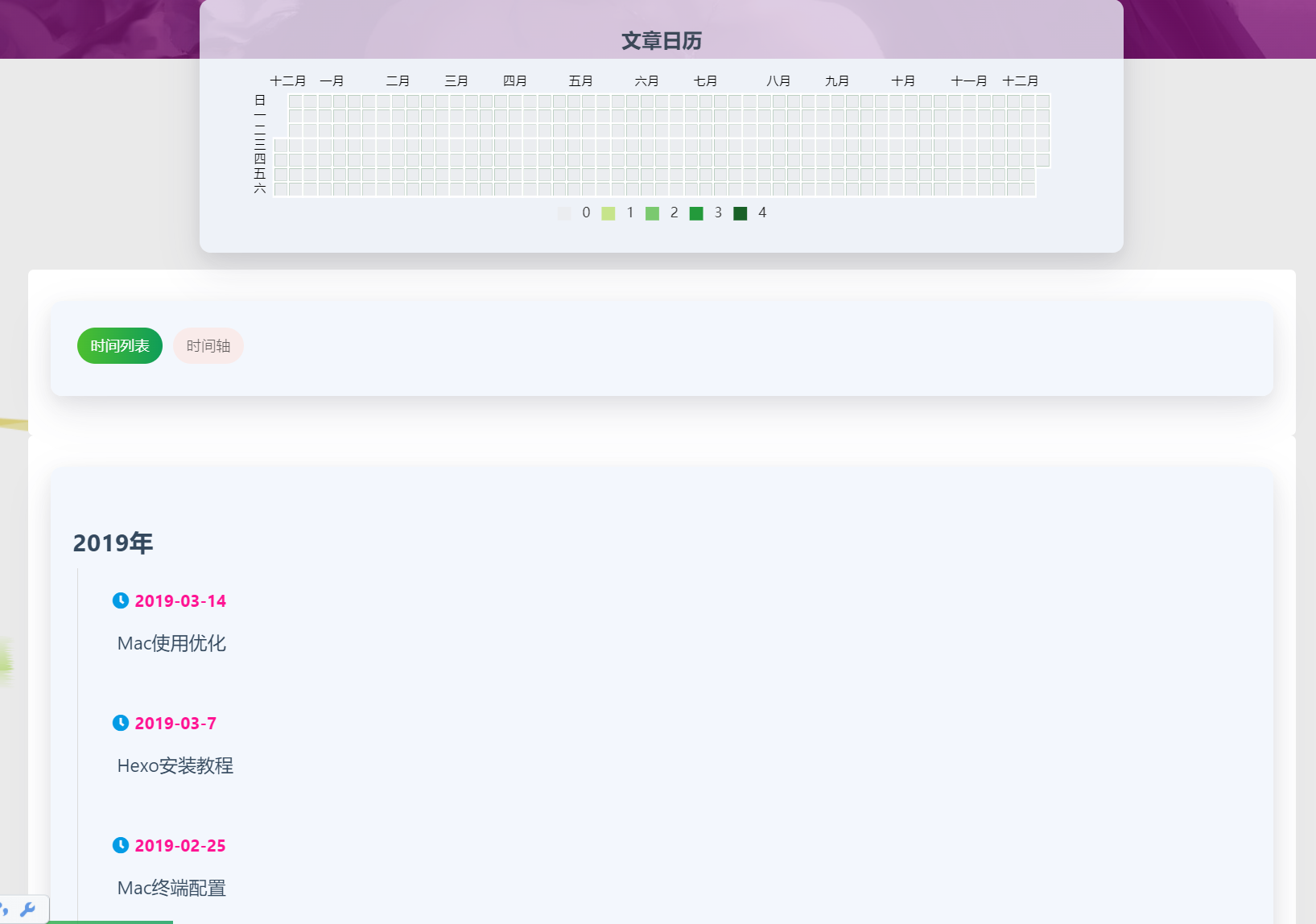
实现
将这段代码中卡片的样式删去这四行代码:
1
2
3
4
5
| <div class="card">
<div class="card-content">
</div>
</div>
|
然后在archive.ejs中加入以下样式代码:
1
2
3
4
5
6
7
8
9
10
11
12
13
14
15
16
17
18
19
20
21
22
23
24
25
26
27
28
29
30
31
32
33
34
35
36
37
38
39
40
41
42
43
44
45
46
47
48
49
50
51
52
53
54
55
56
57
58
59
60
61
62
63
64
65
66
67
68
69
70
71
72
73
74
75
76
77
78
79
80
81
82
83
84
85
86
87
88
89
90
91
92
93
94
95
96
97
98
99
100
101
102
103
104
105
106
107
108
109
110
111
112
113
114
115
116
117
118
119
120
121
122
123
124
125
126
127
128
129
130
131
132
133
134
135
| <style>
.archive-container{
padding: 20px;
-webkit-border-radius: 5px;
-moz-border-radius: 5px;
border-radius: 5px;
background-color: #fff;
}
.archive:not(:last-child) {
margin-bottom: 3rem;
}
.archive .articles {
border-left: 1px solid #dbdbdb;
}
.archive .article {
border-top: none;
margin-left: -1px;
padding: 0.4rem 1.5rem;
border-left: 3px solid transparent;
}
.archive .article:hover {
transition: all .6s;
-webkit-transition: all .6s;
-o-transition: all .6s;
-moz-transition: all .6s;
border-left-color: #0f9d58 ;
}
.archive .article time {
font-size: 1rem;
color: deeppink;
}
article-sort-item_title{
display: -webkit-box;
overflow: hidden;
height: 60px;
color: #4c4948;
font-size: .75rem;
-webkit-transition: all .3s;
-moz-transition: all .3s;
-o-transition: all .3s;
-ms-transition: all .3s;
transition: all .3s;
-webkit-line-clamp: 2;
-webkit-box-orient: vertical;
}
.archive .article h6 {
margin: 0;
}
.archive .article h6 a {
line-height: 2.5;
color: inherit;
border-bottom: 1px dashed transparent;
}
.archive .article h6 a:hover {
border-bottom-color: #0f9d58;
padding-left: 16px;
transition: all .5s;
-webkit-transition: all .5s;
-o-transition: all .5s;
-moz-transition: all .5s;
}
.archive .articles .imgcontent{
display: inline-block;
width: 80px;
height: 80px;
overflow: hidden;
}
.archive .articles .imgcontent .postimg{
width: 100%;
height: 100%;
object-fit: cover;
}
.archive .articles .imgcontent .postimg:hover{
transform: scale(1.3);
transition: all .6s;
-webkit-transition: all .6s;
-o-transition: all .6s;
-moz-transition: all .6s;
}
.article-sort-post{
display: inline-block;
position: relative;
top: -16px;
left: 10px;
}
.hbe-input-container{
width: 80%;
max-width: 800px;
position: relative;
margin: 100px auto;
}
.hbe-input-container .btn-decrypt{
display: inline-block;
vertical-align: top;
width: 120px;
height: 32px;
line-height: 32px;
font-size: 16px;
color: #ffffff;
background-color: #3f90ff;
text-align: center;
-webkit-border-radius: 3px;
-moz-border-radius: 3px;
border-radius: 3px;
}
.about-cover {
height: 50vh;
}
.desc-content{
padding: 0 50px;
}
@media only screen and (max-width: 601px) {
.desc-content {
padding: 0 15px;
}
}
.v .vlist .vcard {
padding-top: 2.5em !important;
}
</style>
|
样式来源:归档 | Sky03我的薰衣草
样式二
效果预览
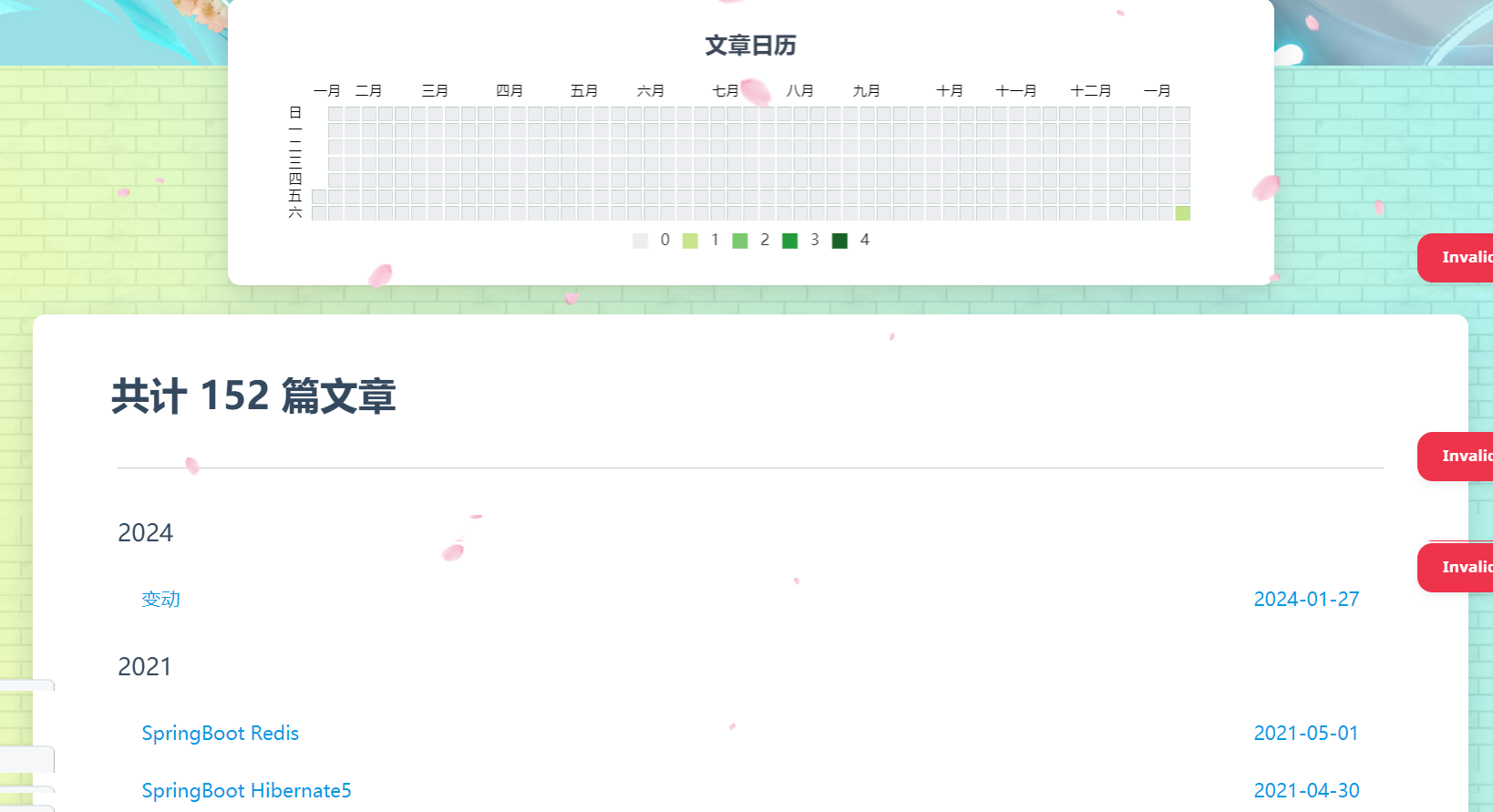
实现
暂未处理,有意向者可以去归档 | 斯莫笔记 (zhangxiaocai.cn)查看
样式三
效果预览
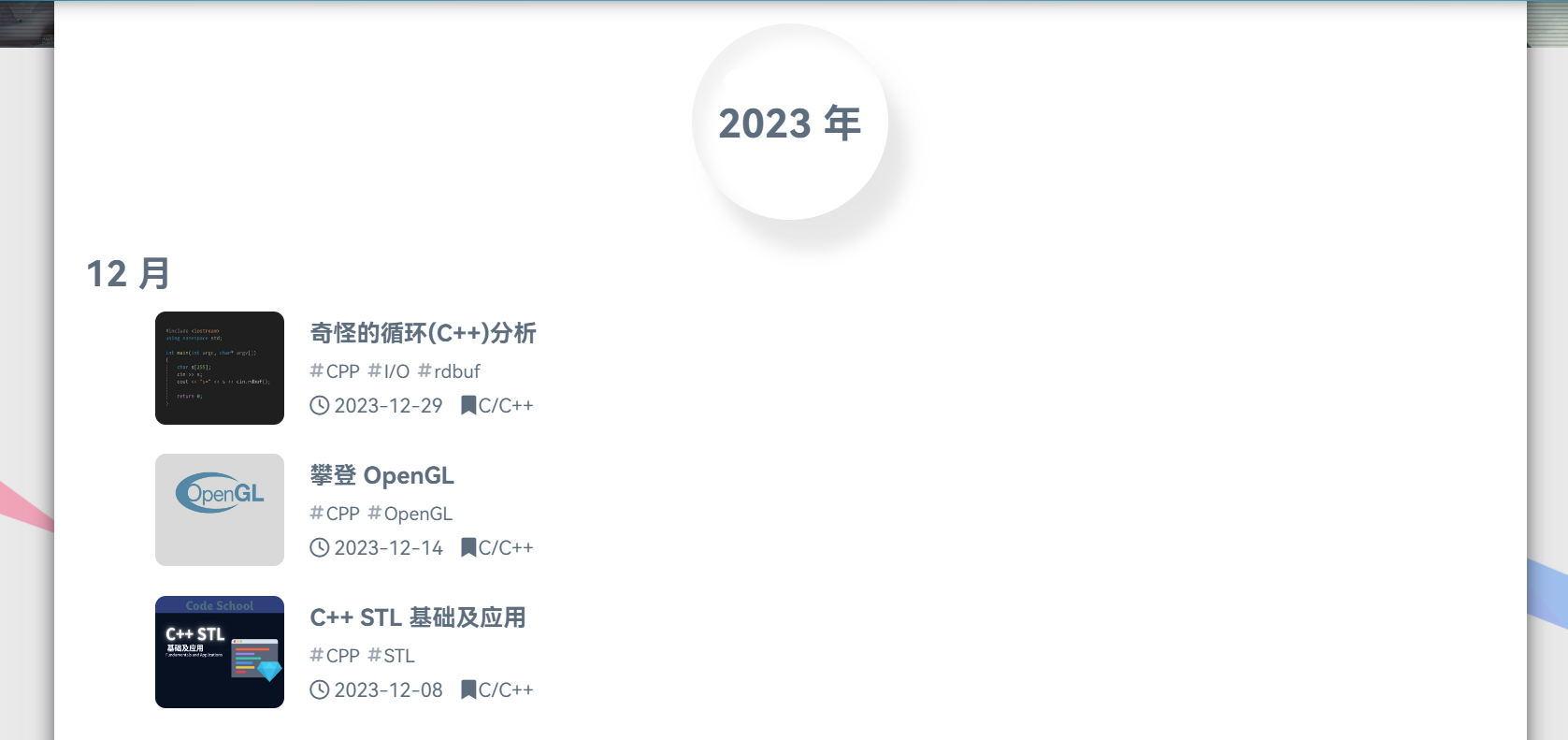
实现
暂未处理,有意向者可以去归档 | SeaYJ’s Blog查看